Rancher A new life Rancher: A New Life Keyboard and Mouse
Primary input for the demo and PC Early Access—bindings, menus, and comfort tips.
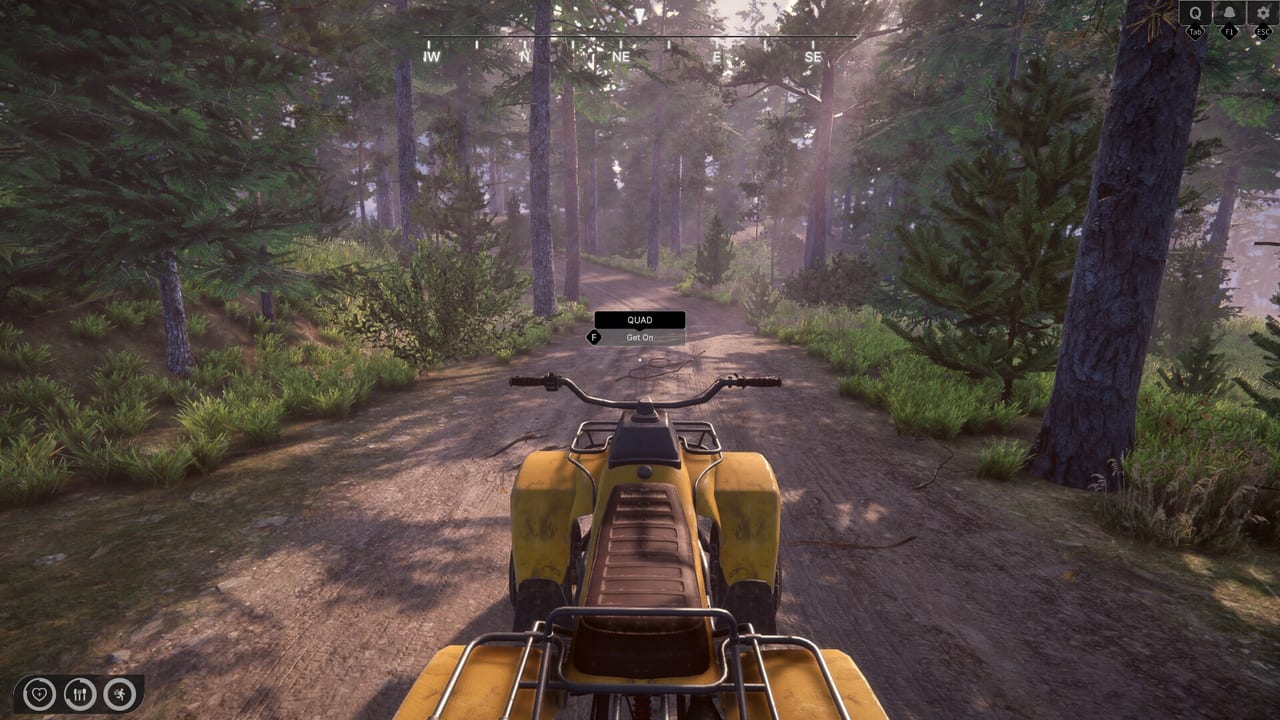
Keyboard and mouse is the only input method confirmed for the Rancher: A New Life demo on Steam. Sim Farm lists keyboard and mouse support without controller options in that trial build, which makes PC bindings the baseline skill set even if you plan to switch to gamepad after Early Access opens on August 6, 2026. This page documents expected actions, menu flow, and comfort tweaks drawn from demo patch notes and standard first-person sim patterns—rebind once the EA client exposes final menus.
Movement and camera
First-person ranch sims typically bind WASD movement with mouse look. Sprint or walk modifiers may toggle stamina use when hauling logs or feed sacks from Workshop Builds runs. Crouch or lean keys sometimes appear in renovation modes where ceiling paint requires awkward angles; check the in-game settings panel listed in Settings and Tips after install. Mouse sensitivity deserves a lower value than arena shooters—precise placement for furniture in House Renovation frustrates with hyper-active camera speed.
Interaction and use key
A primary interact key—often E or F in sims—handles doors, animals, shop counters, junkyard dialogue, and bench crafting prompts. Tap versus hold distinctions matter: long holds may scrub floors during cleaning minigames or steady nails during workshop steps. If an object refuses interaction, verify you face the prompt icon and that your hands are not full from inventory overflow.
Inventory and item management
Inventory keys usually open radial or grid menus for tools, seeds, medicine, and quest items. Drag-and-drop with mouse accelerates sorting after mushroom picking or fishing trips. Quick-slot numbers help when switching from axe to hammer during wood processing. Finances and registry apps may open from a dedicated phone key—see Tools for app-specific navigation once Early Access lists final shortcuts.
Vehicles: quad and horse
Quad driving maps accelerate and brake to keyboard while steering uses mouse or A/D keys depending on implementation. Demo festival patches adjusted vehicle feel at least once, so retest handling after Updates. Horse travel may simplify to direction keys plus gentle camera guidance; dismount prompts should be visible before entering shops in Shops and Town.
Combat and side activities
Shooting-range mini-games in the demo demand mouse aim with optional right-click down sights if the build mirrors common FPS norms. Photo hunting modes—if bound to a camera item—use mouse to frame shots and keyboard to cycle filters or zoom steps. These side systems are optional for ranch progress but excellent sensitivity practice.
UI, maps, and apps
Esc or Tab often opens pause or map overlays. Pay attention to focus indicators when navigating bills for water and electricity; keyboard users mis-pay if Enter confirms the wrong row. The skills, finances, and animal registry apps benefit from memorizing open and back keys so you check balances before animal market sprees documented in Animals guides.
Demo-specific limitations
Because the demo is keyboard-only, every habit you form here carries into Early Access unless you deliberately relearn on controller. That is an advantage for wiki writers and speedrunners who want consistent muscle memory on day one. It also means Steam Deck players should not rely on the demo alone—wait for EA controller verification on Controller.
Recommended setup
Use a standard two-button mouse with a scroll wheel for inventory scrolling. Larger mouse pads help low-sensitivity players during renovation placement. Remap caps lock or another pinky key to a push-to-talk or sprint toggle only if the game supports rebinding; otherwise avoid OS-level remappers that anti-cheat might flag in future online modes on the Full Access roadmap.
After Early Access launch
Day-one patches sometimes add missing bind labels for new animals or mine tools referenced in roadmap posts. Screenshot your keyboard settings before updating. If a binding conflicts with Steam overlay shortcuts, adjust Steam client hotkeys rather than fighting in-game defaults.
Related guides
Connect input knowledge to Guides mission flow, Farming tool swaps, and Review and Early Access Overview for platform expectations on Windows.
Frequently Asked Questions
Quick answers to common ranch questions.
Can I play the demo with a controller?
No. The demo Steam page lists keyboard and mouse only. Use this page for demo play; check Controller notes for the full game.
Is key rebinding supported?
Early Access builds typically expose rebinding in settings. Confirm in-game after August 6, 2026; demo patches added tooltip fixes but full menus may differ.
Which key pays utility bills?
Open the finances app with its assigned shortcut—often a phone or tablet key—then confirm payments with the interact key inside UI rows.